When seconds matter, our Emergency Alert System turns a single press, on a security handset or in the pocket of any senior leader, into a campus-wide response. Speakers, screens, staff inboxes and Teams are all reached in the same moment, automatically.
No numbers to remember and nothing to compose. The person who spots the emergency presses a button, at Reception or on the phone already in their hand, and the system does the rest.
01
Trigger
A staff member presses an emergency button on a security handset, or a senior leader raises it from the TKC Alert app on their phone. That single action is all that is required.
02
Detect
The alert is recognised within seconds, and which of the five responses it is, from Evacuate to All Clear, is identified automatically and confirmed.
03
Respond
Every channel fires at once: ceiling speakers sound, screens display, and staff are emailed and messaged, campus-wide and in unison.
Reaching everyone
Five channels, one instant
People are in classrooms, offices, the grounds and off site. A single channel would miss someone, so the system reaches every one of them, every time.
Campus speakers
Each response has its own recorded tone, played across every zone through the AXIS audio network. An evacuation keeps sounding until it is stopped.
Display screens
All 63 EduTouch screens across the school switch instantly to a full-screen alert, so the message is seen as well as heard.
Microsoft Teams
The whole-staff channel receives the same words as the email, the moment the alert is raised, reaching everyone already working in Teams.
All-staff email
A branded, action-focused email goes to every staff member with clear instructions for both on-site and off-site colleagues.
Visitor roll-call
For every emergency response, the system posts the visitors who are signed in right now, site by site, so wardens can account for everyone. Visitors who have left or not yet arrived are kept out of the count.
Built for every situation
The right message, every time
Each response carries its own instructions across every channel, so what to do is always clear and right for the moment.
Response 01
Evacuate
Everyone to the Assembly Area, following the directions of Wardens.
Response 02
Shelter-in-Place
Move inside, lock doors and carry on with class. For a hazard outside.
Response 03
Lockdown
Lock doors, lights out and remain out of sight until told otherwise.
Response 04
Safer Building Locations
For a bushfire threat: everyone to their designated safer building.
Response 05
All Clear
The situation is resolved and normal activity may safely resume.
The five follow the College's Emergency Response Plan, and each has its own colour, tone and wording, the same on every speaker, screen, inbox and device. Two more signals sit alongside them: a practice drill notice, which tells staff a drill is coming before any alarm sounds, and an announced system test that exercises the whole chain and says plainly that nothing is required.
Deployed and in service
In every senior leader's pocket
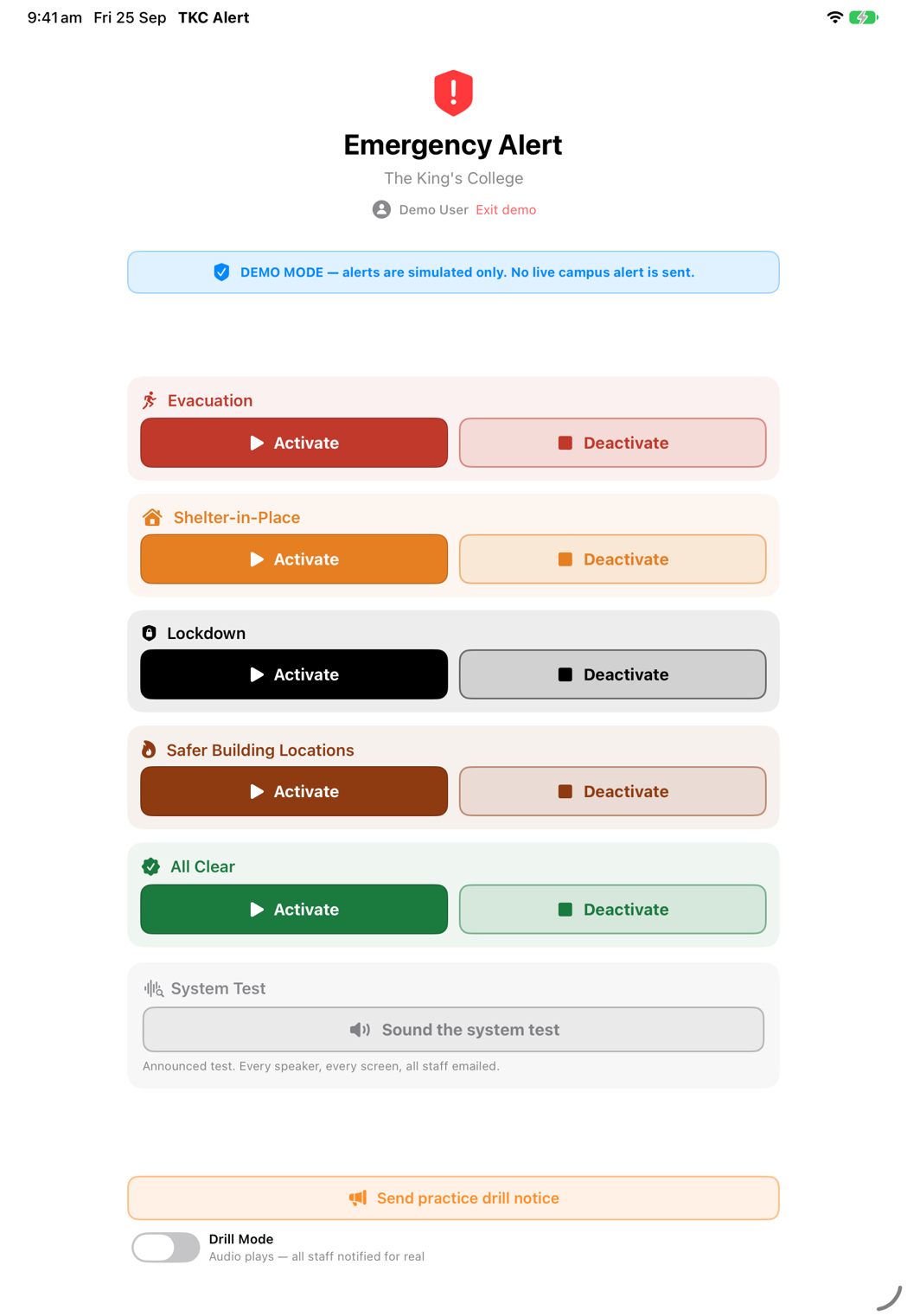
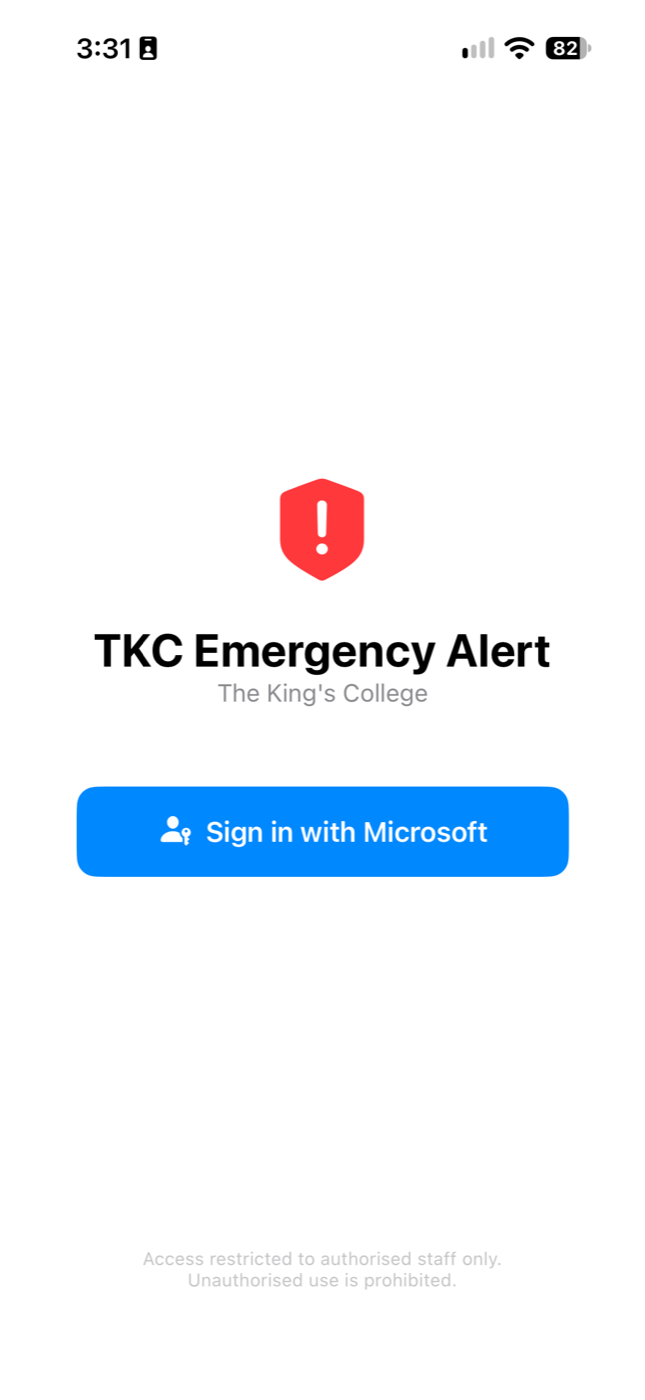
The TKC Alert app is installed on the Senior Leadership Team's College-issued iPhone, iPad and Mac. Each leader signs in with their College Microsoft account, and the system checks who they are before it acts, so every activation is authorised and recorded against a named person. All five responses are there, in the order the plan escalates through them, in the same colours as the campus screens. Wherever a leader is standing, the whole system is one confirmed tap away.
iPad · main screen
Five responses, two actions each: solid to raise, outlined to stop. The system test sits apart, in grey.
iPhone · sign in
Sign in with a College Microsoft account. Access is restricted to authorised staff.
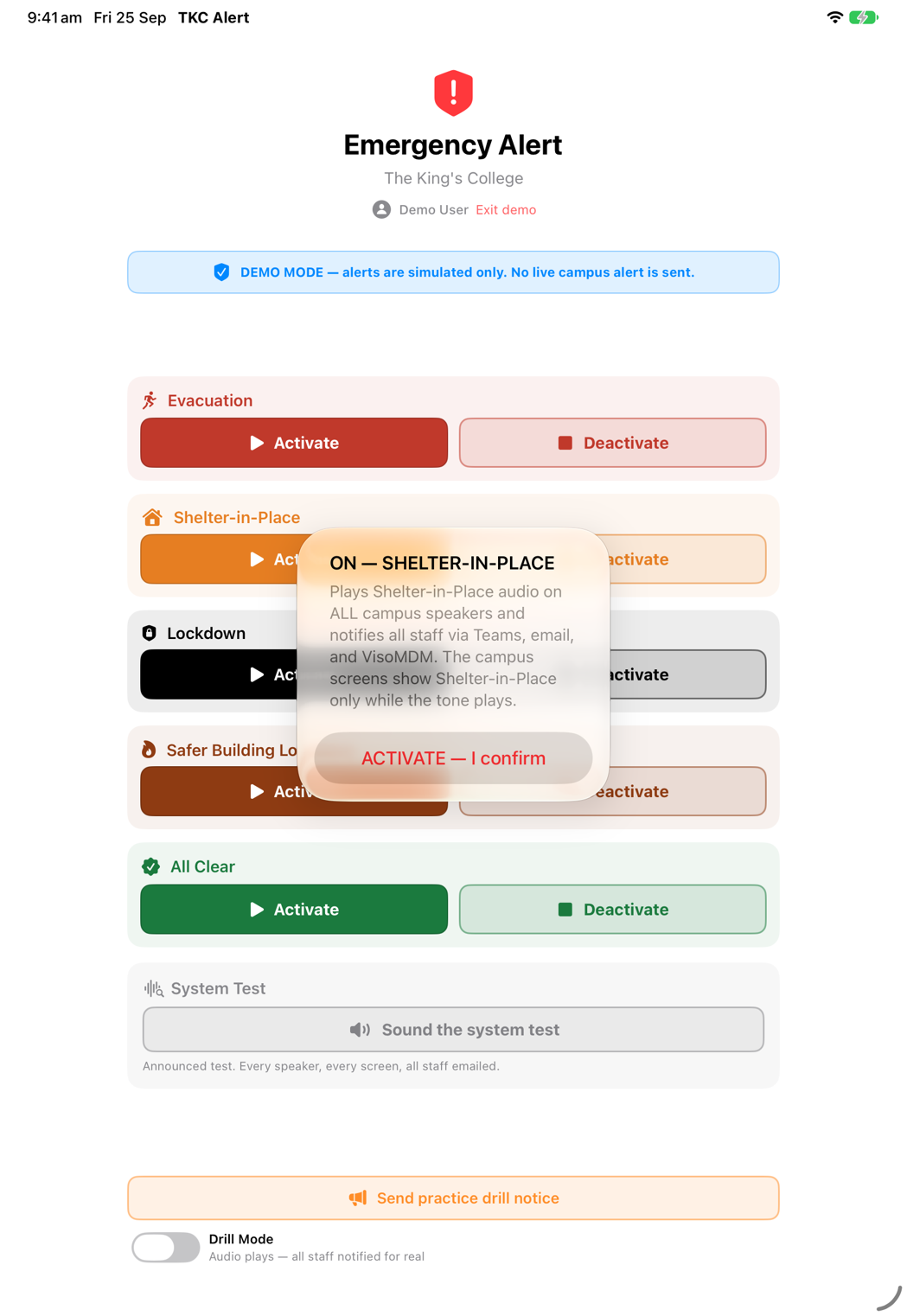
iPad · confirmation
Every activation is confirmed first, in plain language, so it can never happen by accident.
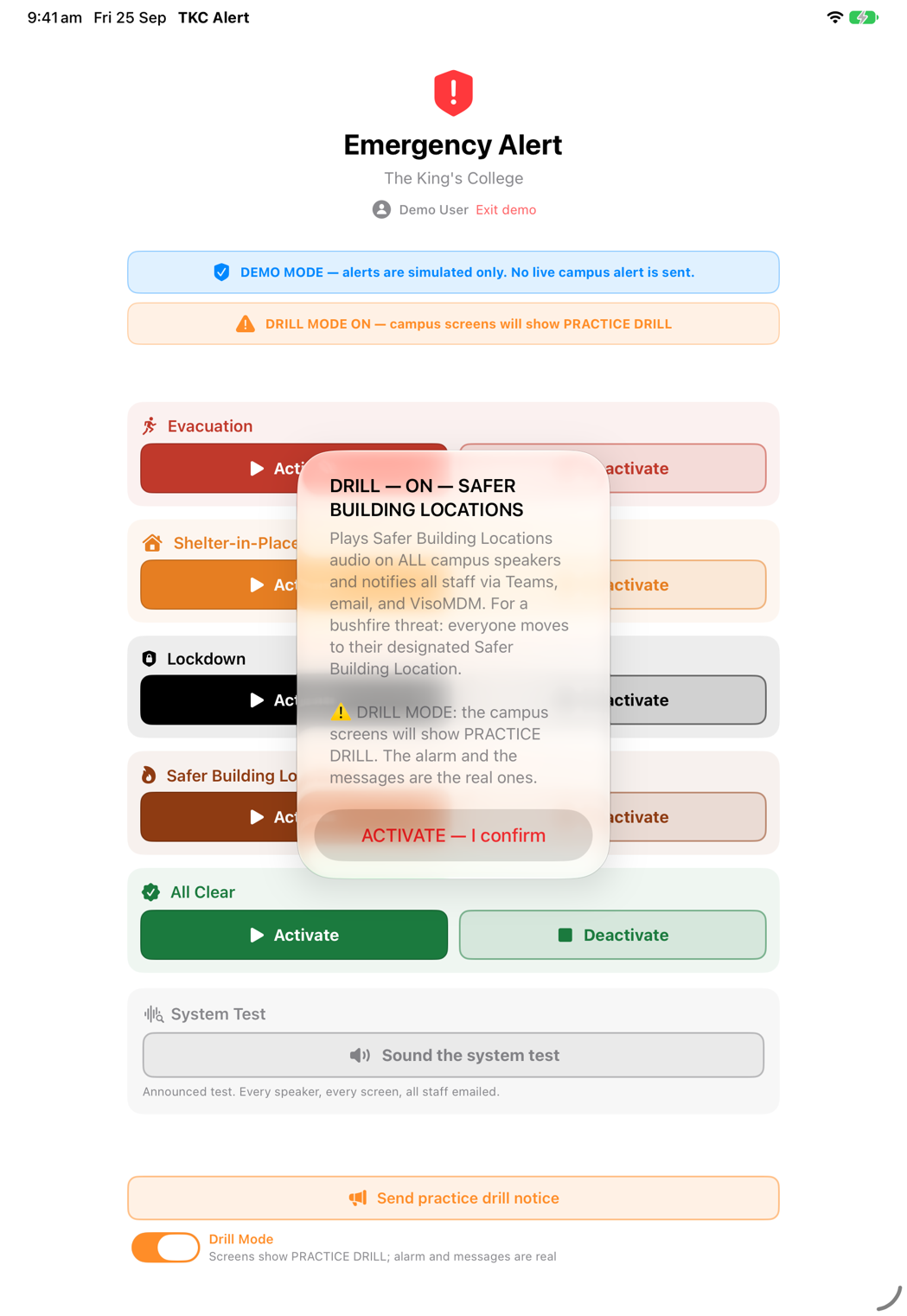
iPad · drill mode
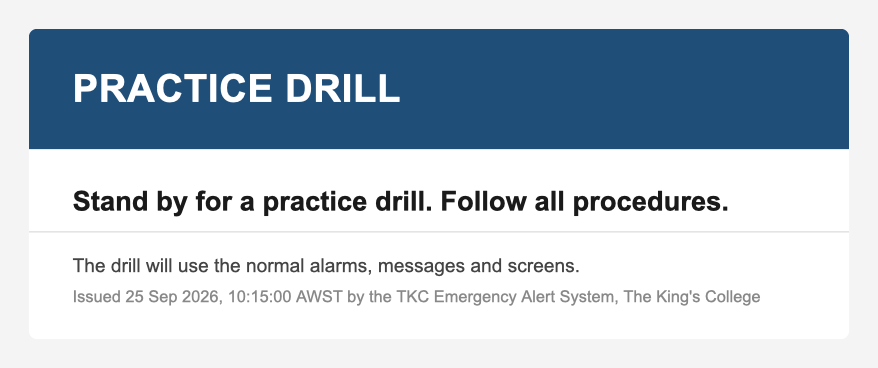
In Drill Mode the campus screens show PRACTICE DRILL. The alarm and the messages are the real ones, and a notice goes to staff first so a drill is never mistaken for the real thing.
The same moment, everywhere
What everyone sees and hears
One press produces a consistent, unmistakable message across every channel, written and recorded in advance, so nobody has to compose anything while an emergency is unfolding.
On every screen
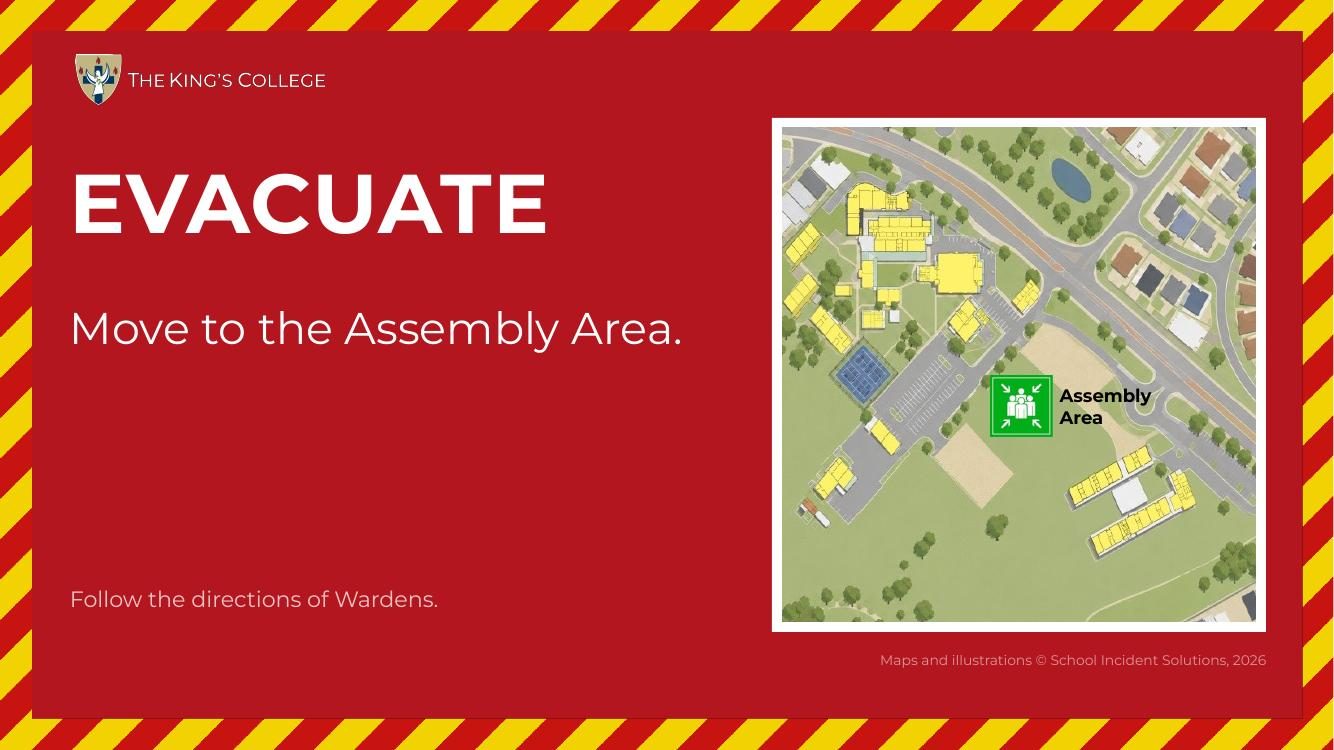
Evacuate screen
Evacuate: the campus map and the Assembly Area.
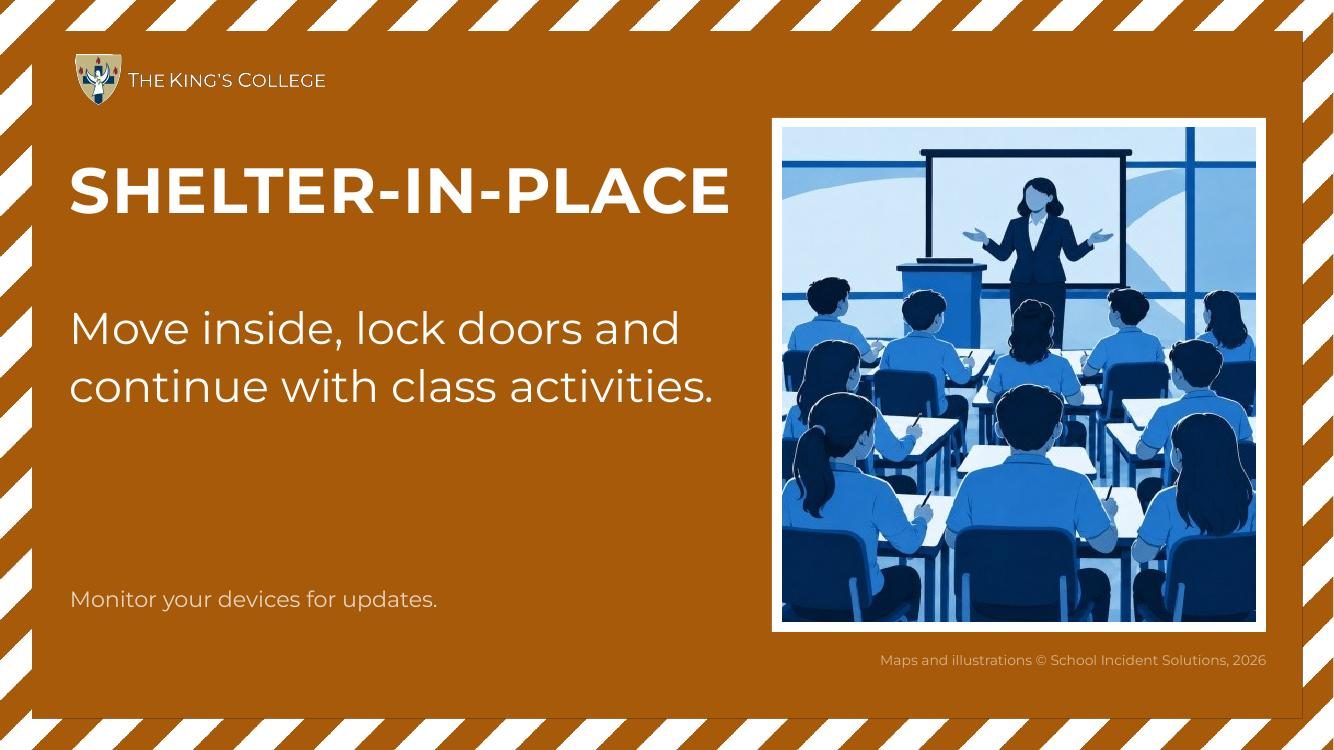
Shelter-in-Place screen
Shelter-in-Place: shown while the tone plays, then the screen returns to normal so lessons carry on.
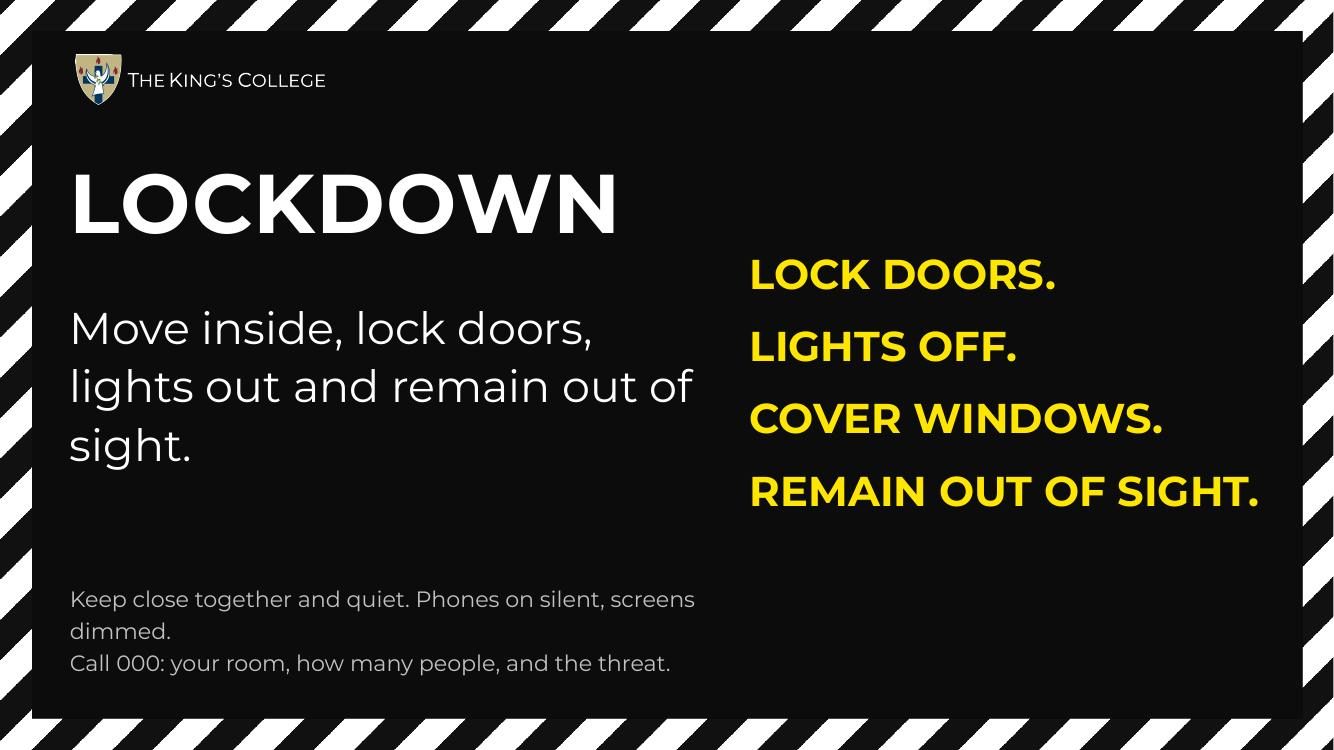
Lockdown screen
Lockdown: the four things to do, readable from the back of the room.
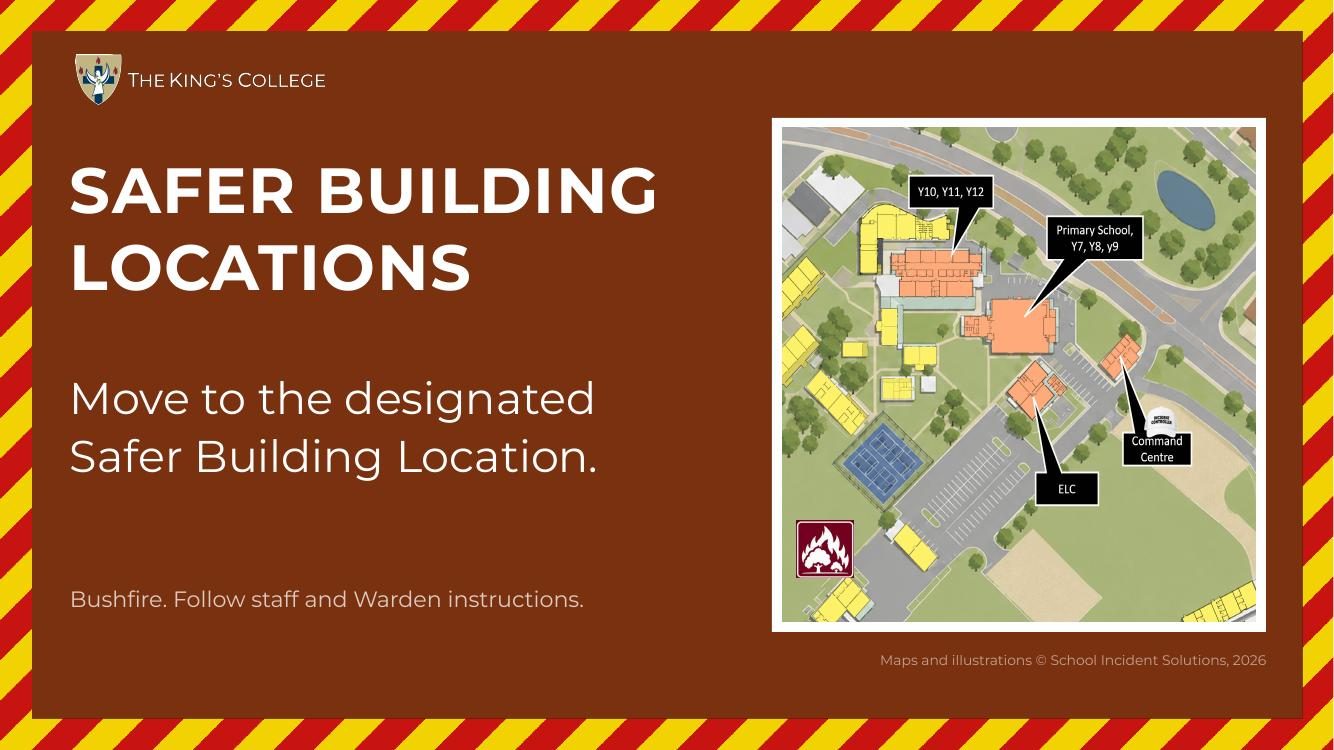
Safer Building Locations screen
Safer Building Locations: the campus map, for a bushfire threat.
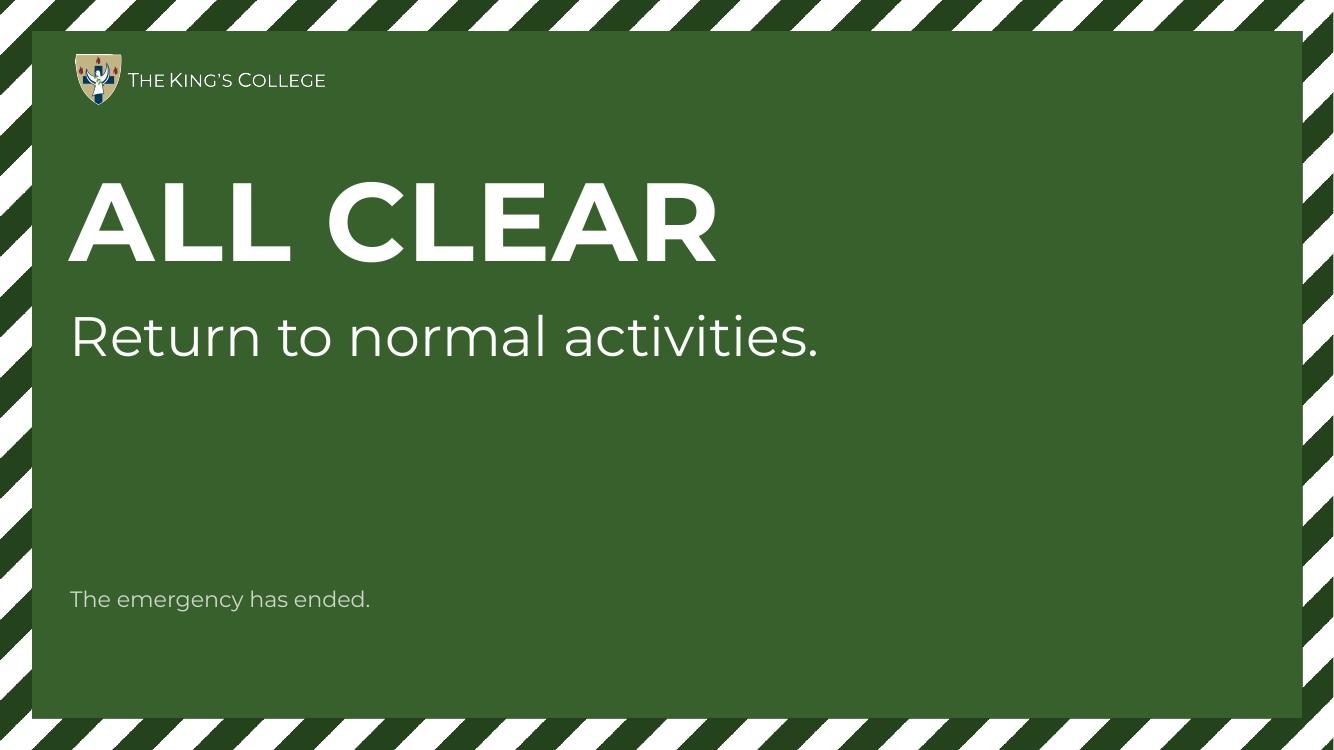
All Clear screen
All Clear: the emergency has ended.
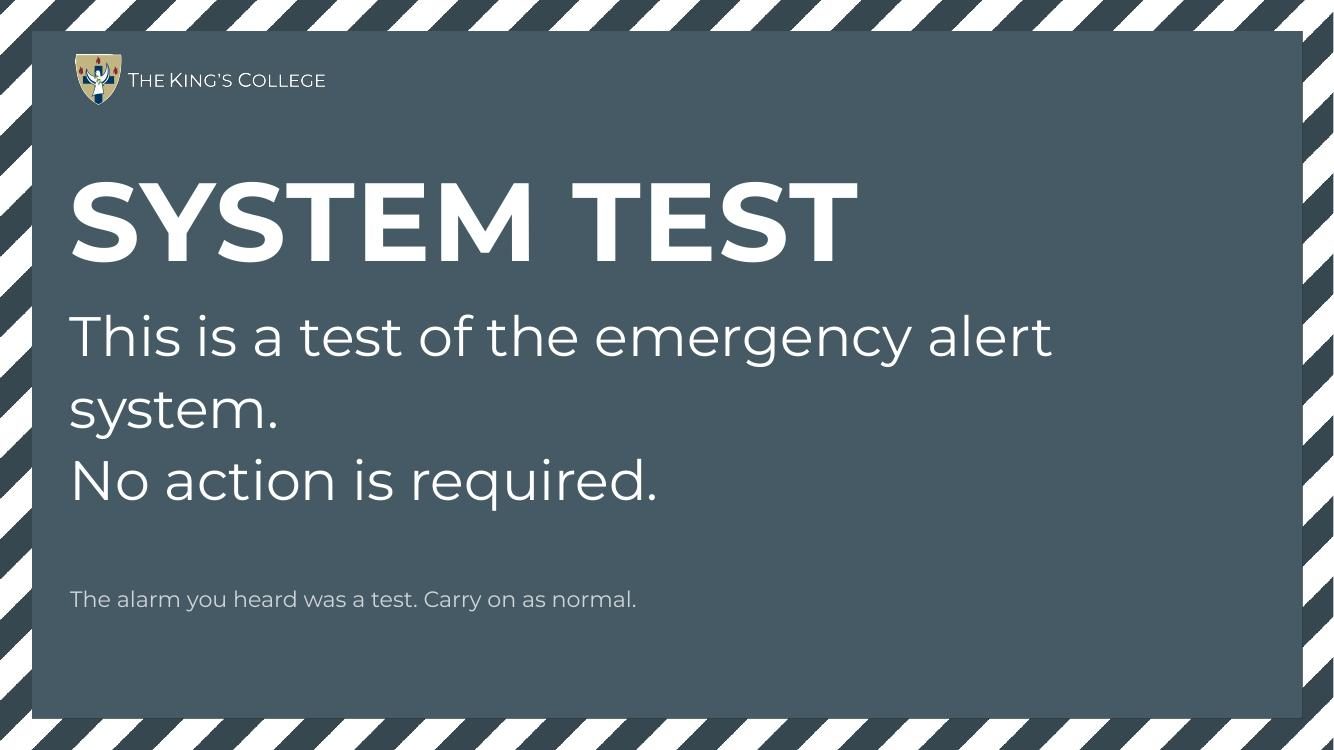
System Test screen
System Test: so nobody mistakes a test for the real thing.
All 63 screens switch at once. In Drill Mode each emergency screen has a PRACTICE DRILL version, so students and staff can see at a glance that it is a drill.
In every inbox
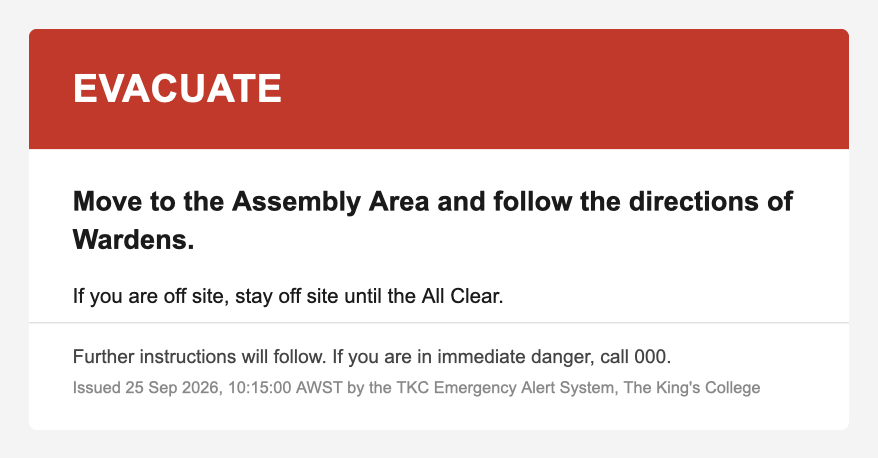
Evacuate email
Evacuate: the action first, then what to do if you are off site.
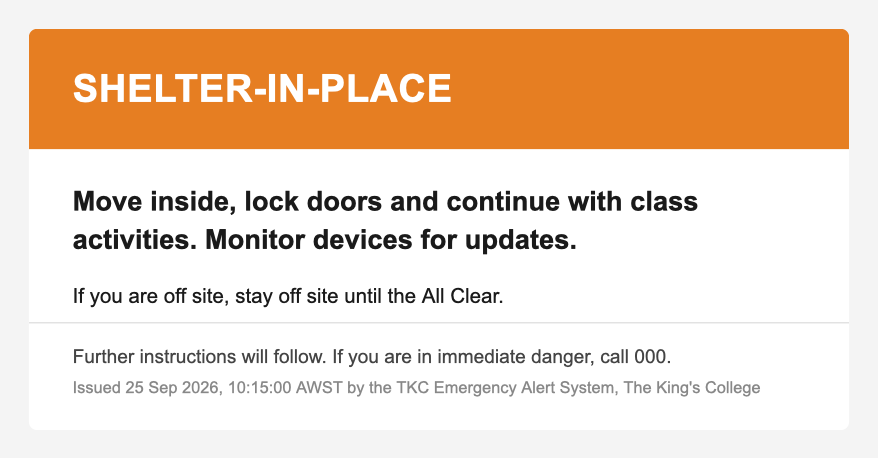
Shelter-in-Place email
Shelter-in-Place: same layout, its own colour and wording.
Practice drill notice email
Practice drill notice: goes out before a drill, so the alarm that follows is expected.
All Clear email
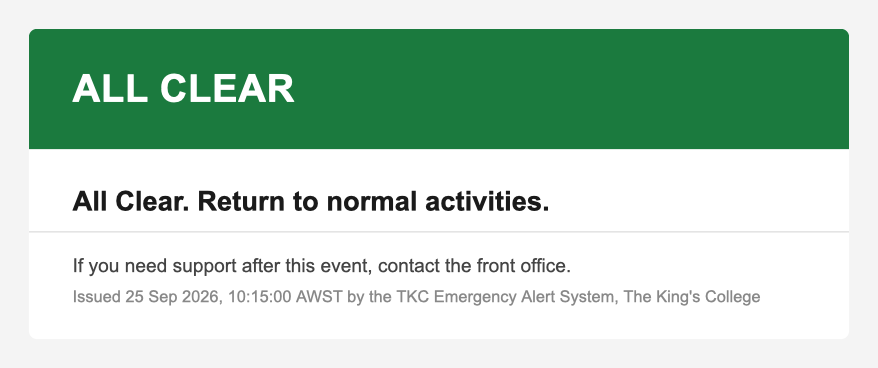
All Clear: the follow-up that closes the incident for everyone.
Over every speaker
Each response has its own recorded tone, the same whether the alert was raised at Reception or from the app, so the sound itself tells people what to do.
Evacuate
30 sec excerpt · repeats until stopped
Shelter-in-Place
24 sec
Lockdown
30 sec excerpt · 5 min 30 sec in full
Safer Building Locations
30 sec excerpt · 9 min 53 sec in full
All Clear
22 sec
System Test
11 sec
And in Teams
The same words post to the All Staff channel the moment the alert is raised, followed by the visitor roll-call, and the All Clear closes it out in the same place.
Coming next
An alert on every staff iPad, even on mute
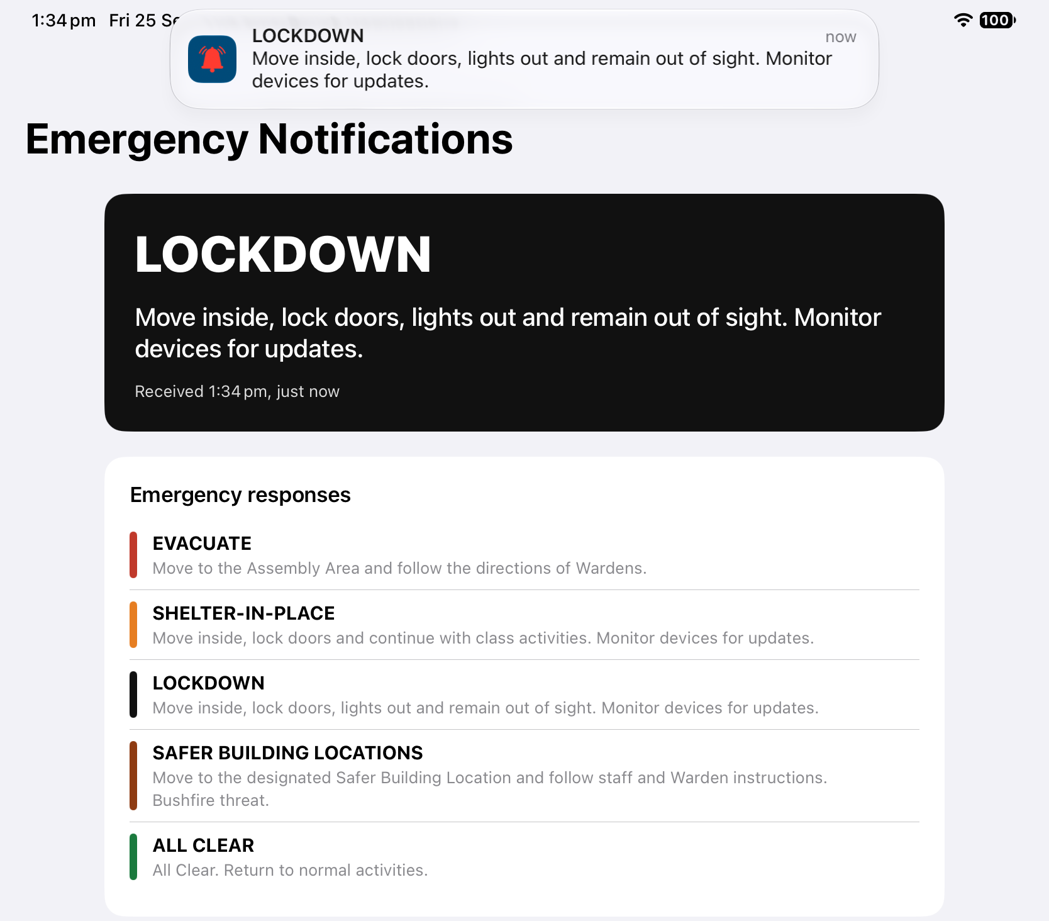
Teachers mute their iPads in lessons, and some staff work outdoors or away from the speakers. TKC Emergency Notifications is a receive-only app for College staff iPads that closes that gap. Apple has approved it to use Critical Alerts, which sound even when a device is muted.
The four emergency responses sound on a muted iPad. All Clear and drill notices arrive as ordinary notifications.
If a lockdown is already under way, further updates arrive silently, so a device can never give away a sheltering room.
It can only receive. Nothing on a staff iPad can raise, change or cancel an alert.
Alerts expire after fifteen minutes, so an iPad that was switched off never wakes up to an old emergency.
In development. A Lockdown as it arrives on a staff iPad.
Under the hood
One intelligent hub, connected to everything
A central automation hub links the school's safety, communication and display systems, so they act as one.
Security handset
→
Audio manager
→
Campus speakers
↓
Automation hub
↓
All-staff email
Microsoft Teams
63 display screens
Visitor roll-call
Audit log
Staff iPads (coming)
Every channel runs independently: if one is ever unavailable, the others still fire. The critical audio path stays entirely self-contained, so the speakers sound even if everything else is offline.
The safety of our students and staff is never automated away. It is amplified. Technology simply ensures that when one person acts, everyone is reached.
Designed to be trusted
Resilience built in
∞
Always armed
The system watches continuously, around the clock, ready to respond the instant a button is pressed, at Reception or from a leader's phone.
↔
Independent channels
Each notification path is isolated. A hiccup in one never holds back the others: every channel does its job alone.
✓
Fully audited
Every alert is logged with its type, time and source, and the name of the person who raised it, giving the ICT team a complete and verifiable record.
☀
Checked every day
Each school morning the system checks that every campus screen is online and ready to show an alert, and tells ICT about any that are not, long before one is needed.
◎
Tested in the open
An announced system test sounds the whole chain, from tone to screens to inboxes, and says plainly that it is a test, so the College knows it works without a false alarm.
!
Nothing ambiguous
An unrecognised signal is refused and nothing is sent. The system never guesses, and never falls back to another response's tone or screen.
 iPad · main screen
 iPhone · sign in
 iPad · confirmation
 iPad · drill mode